 Footy
FootyOne-by-one sign-up
Open the form
The name/nickname is the only required text — it's what shows on the public pages.
📍 Dashboard → Players → + New playerPick the type
Regular or casual. With per-match billing it's just a label; with monthly billing it decides money: regulars pay the month, casuals pay per game.
📍 Type fieldPick the position
Goalkeeper, defence, midfield or attack. The draw uses it to fill the formation — and goalkeepers have their own call-up queue.
📍 Position fieldSet the ratings
Skill, speed and strength, 1.0–5.0 in 0.5 steps. The draw weight is their average — 3.0 is neutral.
📍 AttributesSave — next one
After saving, the form clears for the next player. Phone, birth date, last name and photo are optional and private.
📍 Saveattack · 4.0 / 4.5 / 3.5 → weight 4.0. Bia is a steady keeper: goalkeeper · 3.0 / 3.5 / 4.0 → weight 3.5.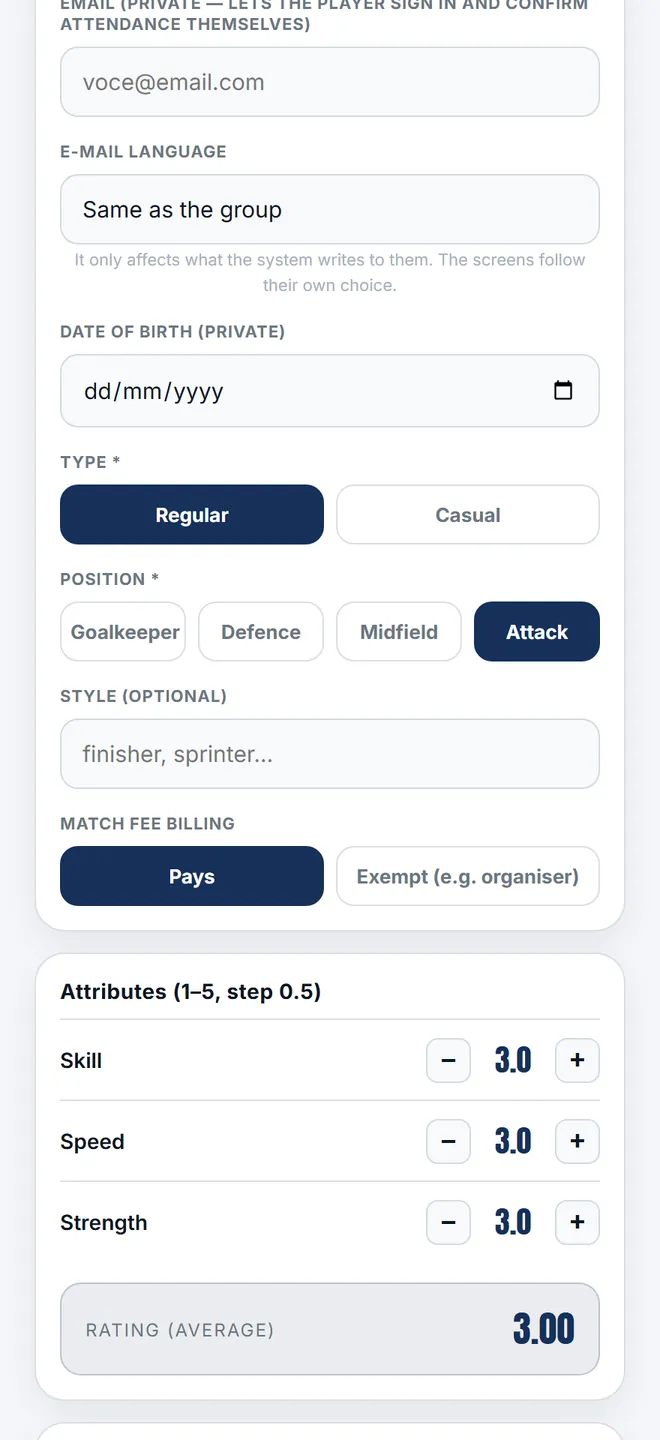
Adding, editing and importing the squad organiser
-
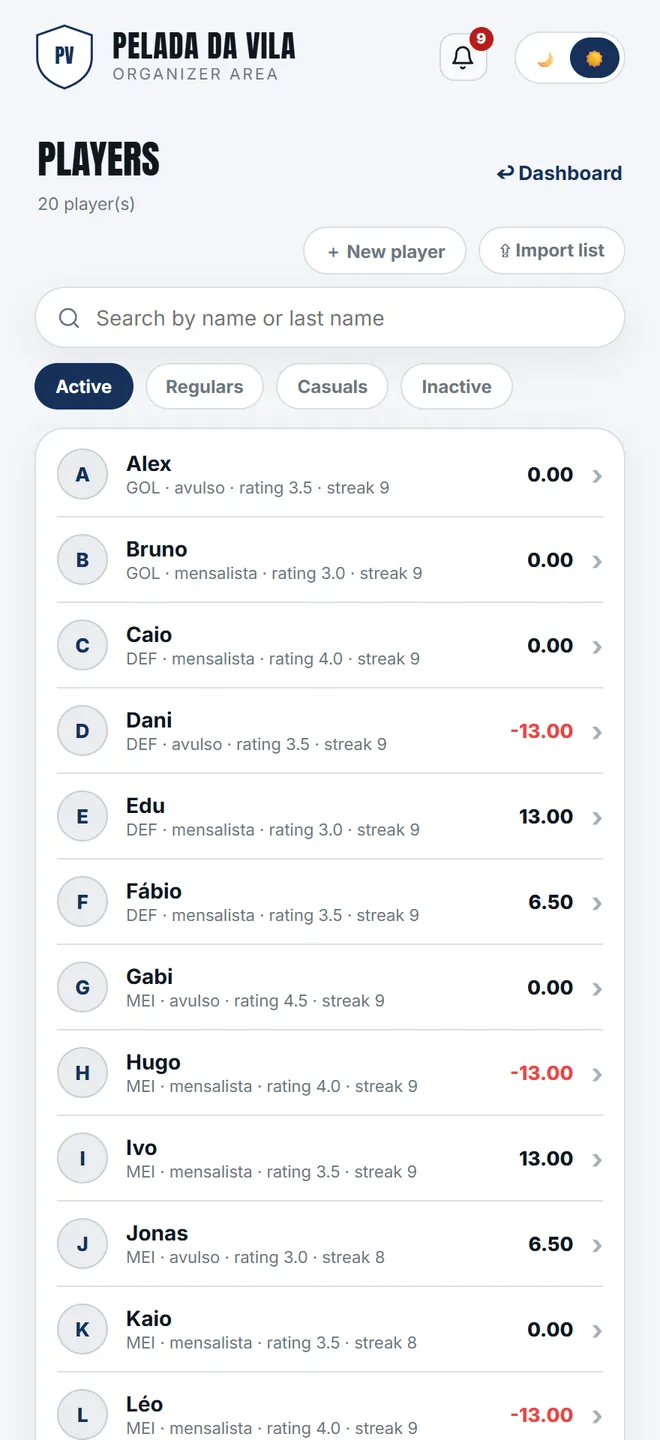
1. The squad list, with search and a count. Each row shows position, type, weight and the attendance streak; ⇪ Import list at the top opens the bulk paste.
-
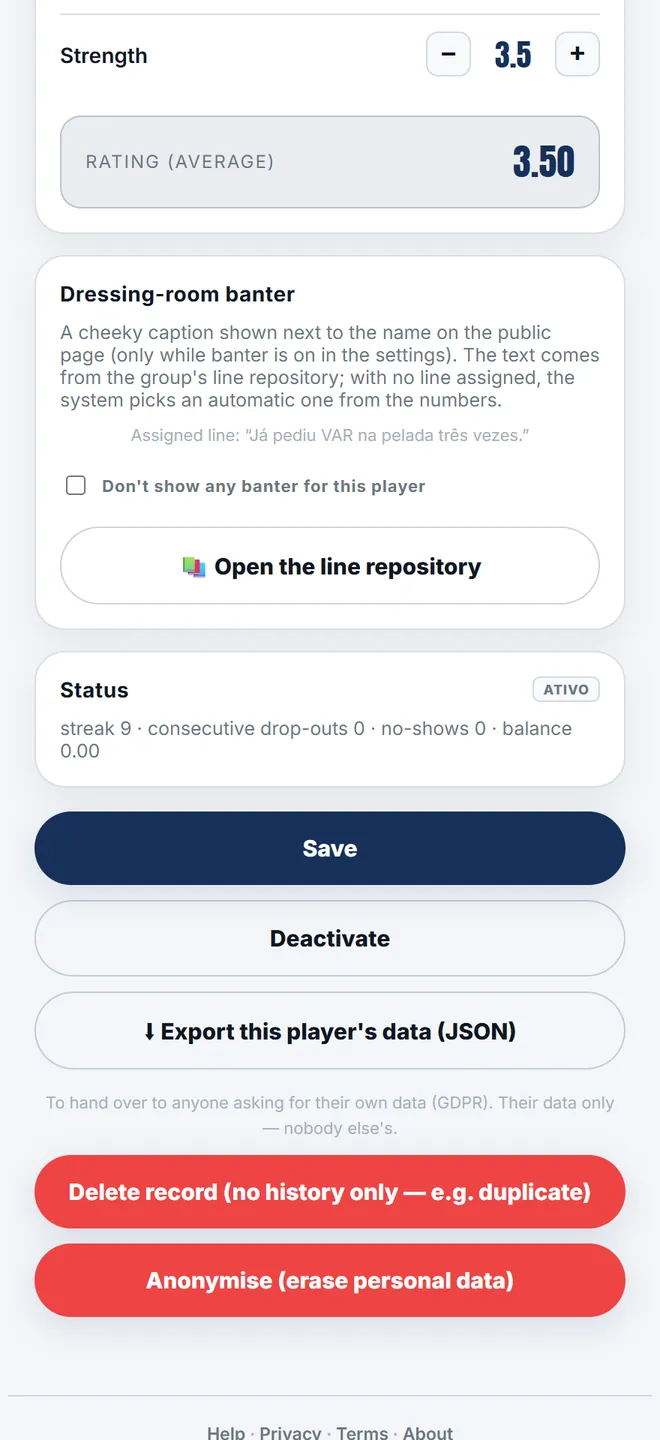
2. The record holds position, type, ratings, photo and the priority counters. This is where you deactivate, reactivate and anonymise — the app never deletes history.
-
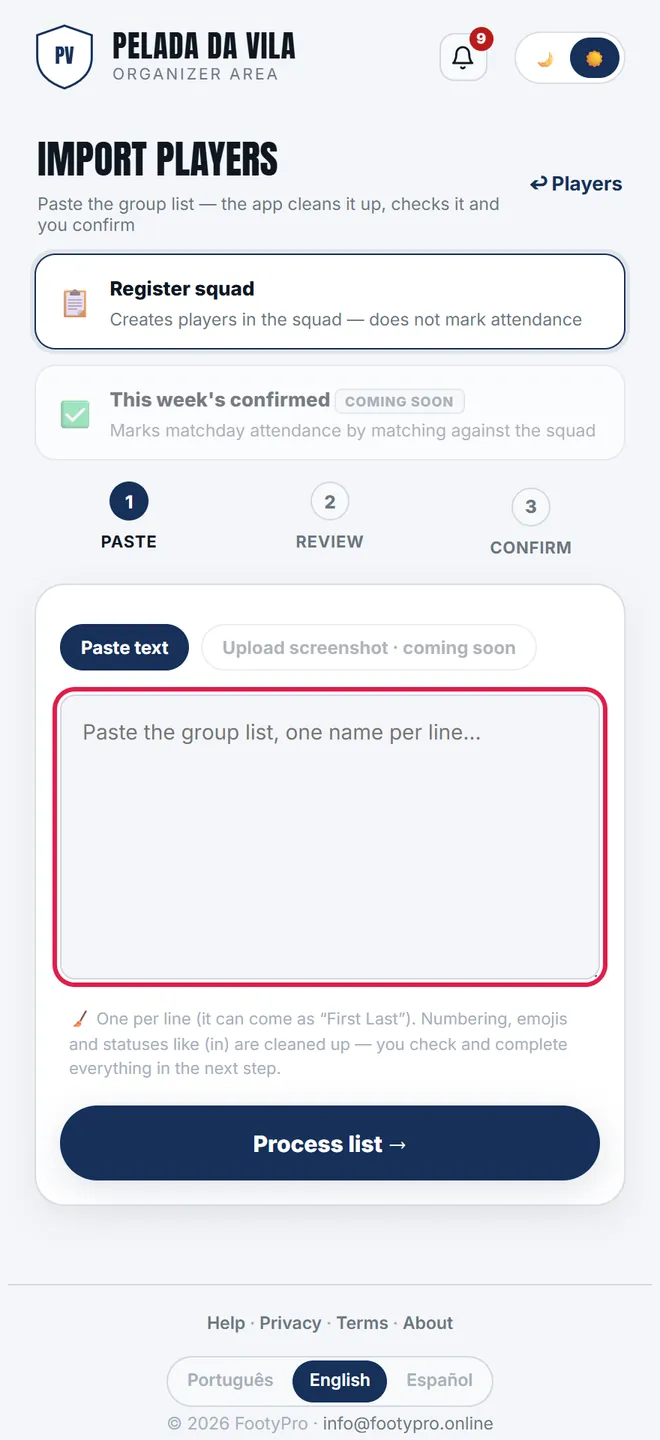
3. Under Import list you paste the group's list: the app strips the numbering, recognises who is already in the squad and flags duplicates before you confirm.
Importing the WhatsApp list
In Players → ⇪ Import list, paste the group list (one name per line). The app strips numbering, emojis and statuses like "(in)". Nothing is created without your review.
Paste and process
The text becomes one line per name, first/last name split and editable.
Review the badges
New is included by default. Already in squad and repeated stay out (you can re-include). Possible duplicate demands your call: "same player" or "new player".
Complete if you like
Under +details: phone (international format), birth date, position, type. Nothing is required.
Confirm
New players get 3.0 attributes and the casual type by default (change globally or per line). They join the end of the queue of any open matchday.
- A phone matching someone in the squad is a strong key: the line is treated as the same person.
- Import is all-or-nothing: one bad line means nothing is created, with errors shown per line.
- Duplicate nicknames are allowed (you just get a warning).
Deactivate, reactivate and GDPR
Nobody is deleted: deactivating removes a player from call-ups keeping all history. Reactivating brings them back — resetting their attendance streak (back of the priority queue) while keeping points, credits and their misses record.
Anonymising is the GDPR erasure: name, last name, phone, birth date, photo and style are removed — the group's anonymous match records stay. Irreversible.
I added someone twice.+
I deactivated the wrong person.+
A new player isn't in this week's matchday.+
What is a player's weight?+
Do regular and casual change anything?+
Do players see phones or birth dates?+
See also: The app that organises your 5-a-side.