 Footy
FootyAdding the email IS the invitation
There is no player sign-up: you build the squad. When you put an email on someone's record, that person earns the right to sign in — and the app sends the invitation right away. No password to agree on, no link to keep: they go to /login, ask for their own magic link or use Google, and the account is created then and there.
Put the email on the record
The invitation goes out when the email is added or changed — never every time you save the record, or every ratings tweak would turn into spam.
📍 Dashboard → PlayersThey sign in and confirm it's them
On the first visit the app asks "Is this you?" and shows the record matching that email. One tap and it's done.
📍 Dashboard → PlayersInvitation lost?
Use Resend invitation on the record. Invitations get lost in spam, and changing the email to resend would undo the link of someone who already signed in.
📍 Dashboard → Players- The invitation is not a credential: it leads to /login, and proving the mailbox is theirs stays their own act. A sign-in link nobody asked for would become account access for whoever the email gets forwarded to.
- A record without an email never matches any account — and most of a squad usually looks like that. That is deliberate: whoever doesn't want an account doesn't need one.
- The invitation goes out in the player's language (the pelada's, or the one you pick on the record), not yours.
- If they already have an account from another pelada, they sign in with the same one — the pending record shows up next to the access they already have.
"I'm in" and "I'm out" — and why the badge is what counts
On their panel the next round shows date, time, venue, the match fee and two buttons. What the app shows underneath isn't what they tapped, it's what happened: confirm when the queue is full and you land on the waiting list — and that is what the badge says.
In the squad
Holds a confirmed slot to play.
Waiting list
They answered, but the queue was full — they move up when a slot opens in their own queue (keepers and outfielders compete for separate slots).
Not playing
Frees the slot instantly and the first reserve moves up. It still works after check-in: pulling out during the warm-up is legitimate and must free the slot.
No answer
Hasn't answered yet. The day before, the app chases them on its own — and whoever already said yes or no is not chased.
- If you already marked them present (check-in), their "I'm in" changes nothing — deliberately: without that guard the button undid your check-in and dropped someone who played out of the standings.
- With block debtors on, whoever owes doesn't get in on their own — but you can still confirm them by hand. The block only bites on entry: nobody already holding a slot is dropped over a debt.
- The list they see carries nickname, photo, position and who has checked in. Never anyone else's balance, debt or block.
Answering “I’m in” or “I’m out” player
-
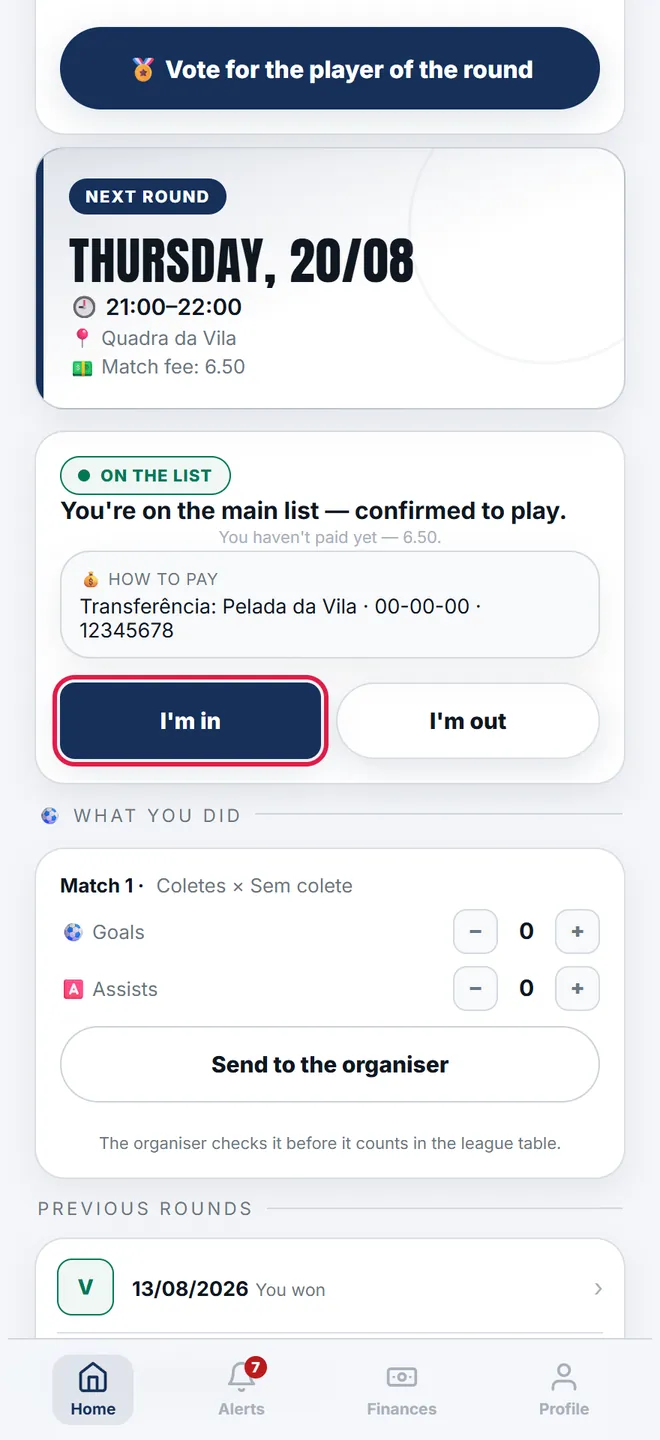
1. The next round's card opens on the panel, with date, time, venue and the match fee. Both buttons sit right below.
-
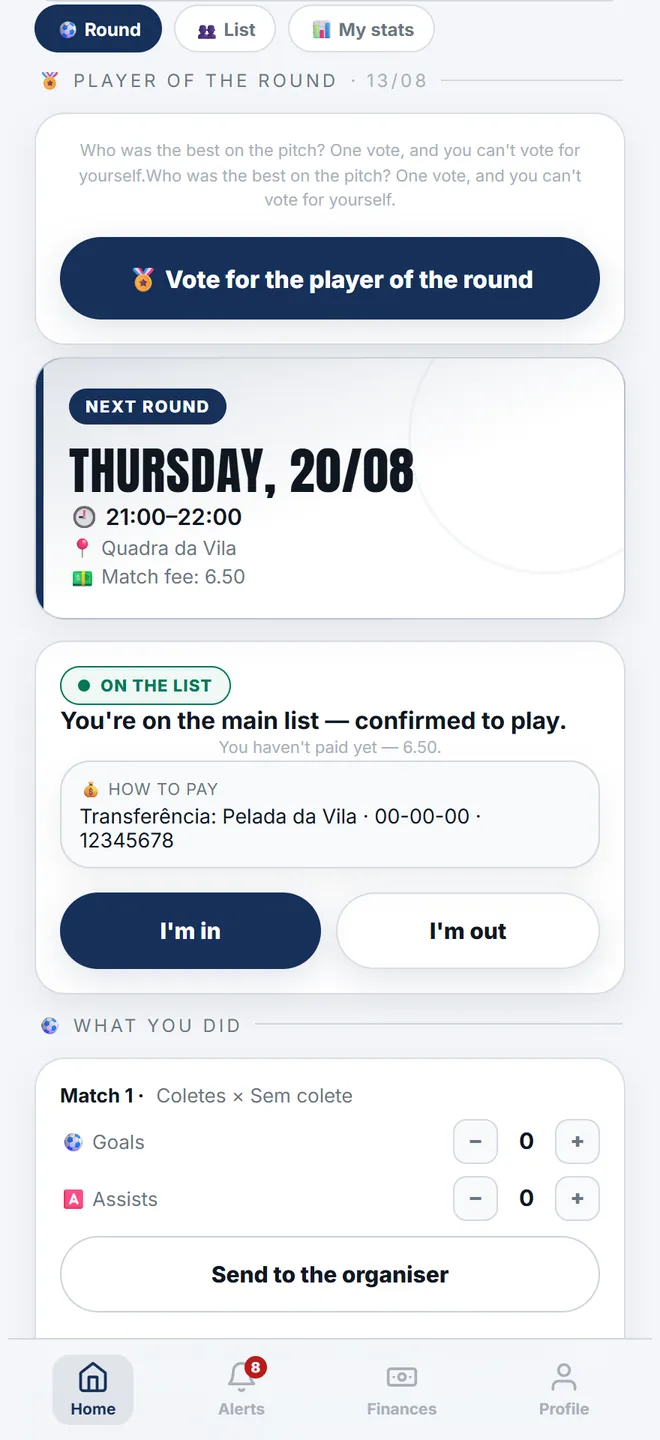
2. After tapping I’m in, the coloured pill says what HAPPENED — “In the squad” if there was a slot, “Waiting list” if the queue was full.
-
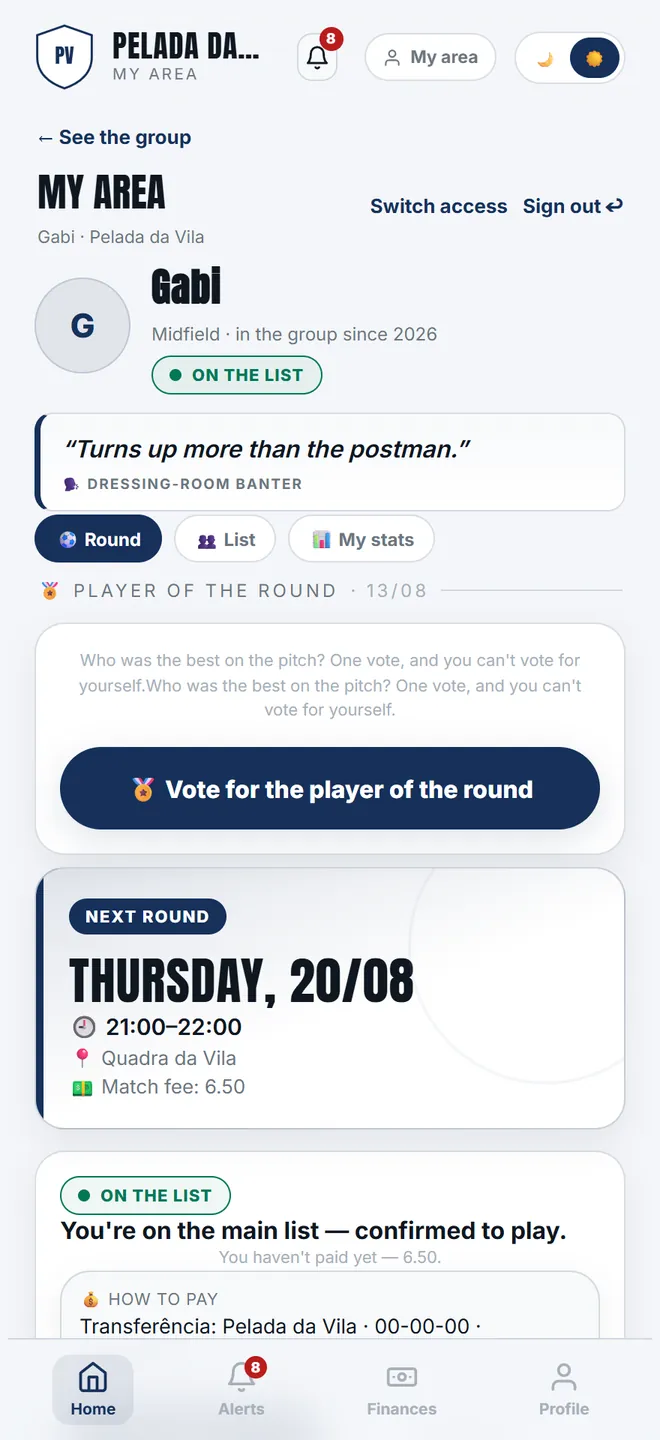
3. The List tab shows who is playing, split between keepers and outfielders, and who has checked in. No money about anyone.
-
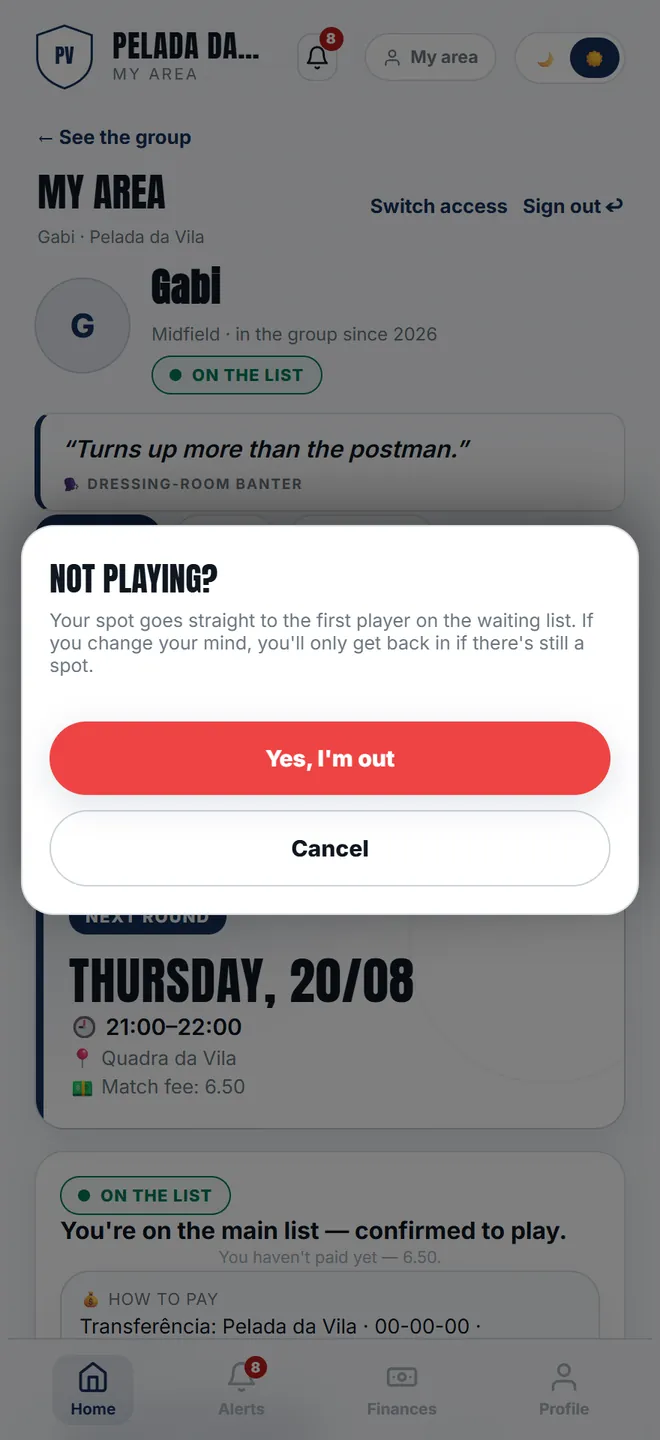
4. Not playing asks for confirmation, because the slot goes to the first reserve instantly — and coming back only works if there is still room.
After the whistle: MVP and match report
Vote for the MVP
The block only shows if you opened the vote, and only for whoever played that round. The vote is final — and that is exactly why voting unlocks the live tally: with no way to switch, seeing who is ahead changes nothing.
📍 Round → 🏅 MVPVote for the Flat Ball
If the organiser also opened the Flat Ball ballot, a second block shows up, working the same way: one vote, nobody votes for themselves, and it is final. The two ballots are independent — you can vote in one and not the other, and they may be about different nights (the date is in each block’s header). Whoever is elected gets the notification, with the tally, and the card for that night.
📍 Round → 🎈 Flat BallReport goals and assists
Once the match's end time has passed, whoever was on the pitch can send how many goals and assists they got, match by match. It is a proposal: nothing enters the standings before you approve it.
📍 Round → MessagesYou check it
Approving records the goals; rejecting deletes nothing already recorded. Resending corrects it and puts it back in your queue.
📍 Round → Messages- The match report only appears after the round's end time — the effective one, if you adjusted it. Before that the app would be asking how many goals someone scored in a match that hadn't started.
- The vote runs for one round at a time, and it disappears from the player's screen when you close it.
- Nobody votes for themselves, and whoever is in the line-up but didn't turn up shows greyed out on the pitch — rather than vanishing, which would confuse more.
Voting for the round’s MVP player
-
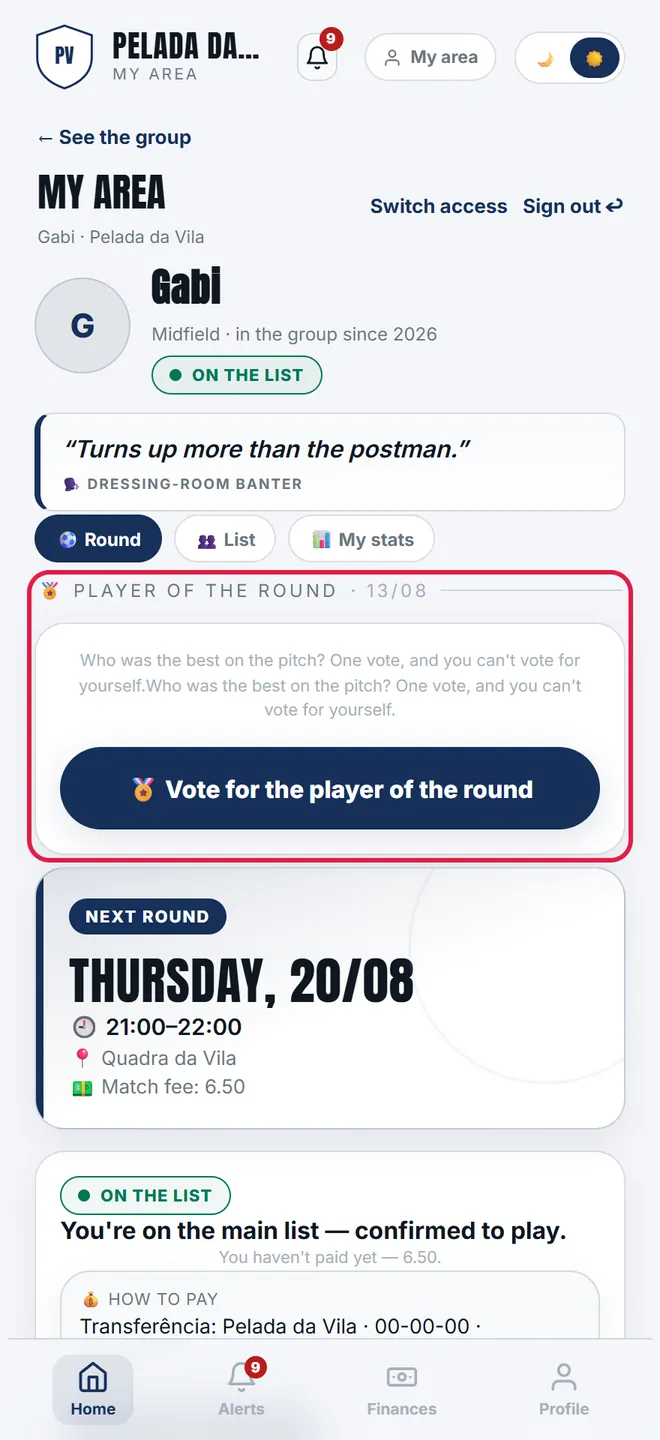
1. With the vote open, the MVP button shows at the top of the panel, with the date of the round being voted on — which may not be the next one.
-
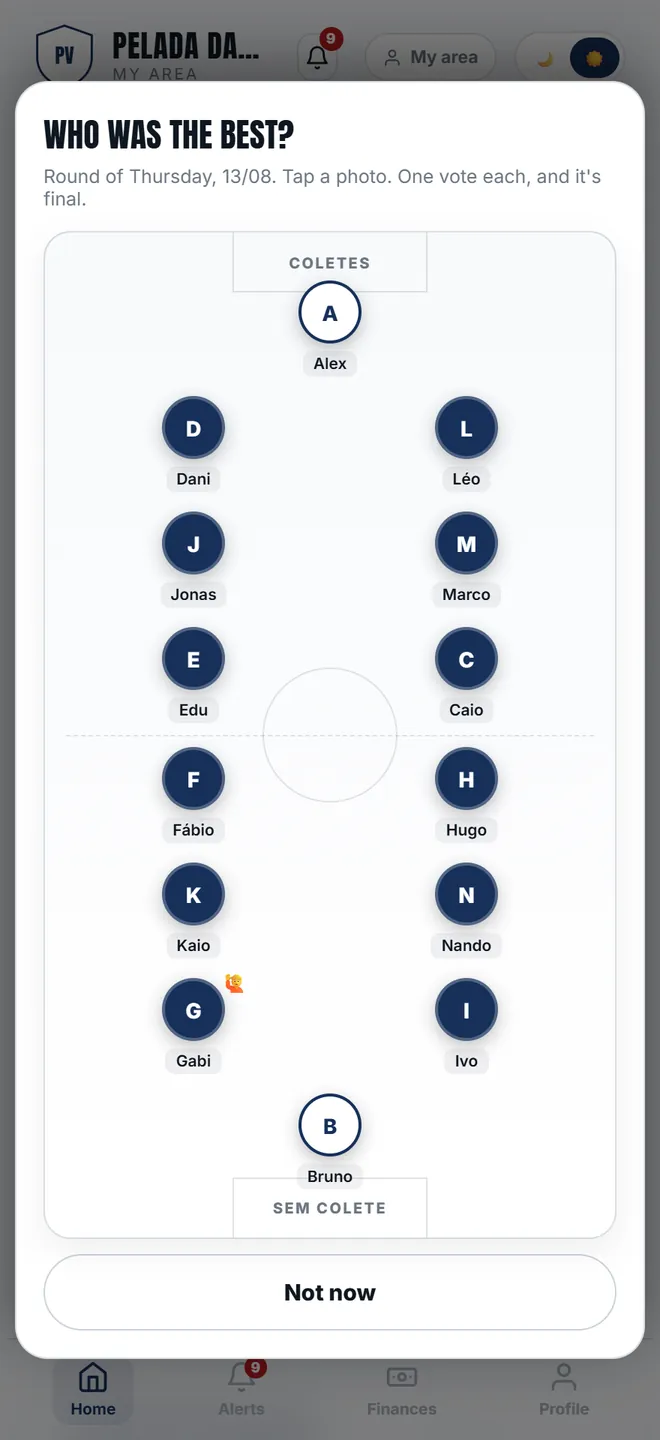
2. The ballot draws the pitch with both teams. Tap the photo of whoever was best: one vote per person, and it is final.
Money, profile and alerts
- Finances: balance, how much is outstanding and their own statement. The group's kitty does not appear — the personal statement is theirs, the kitty is yours.
- Debt counts only closed rounds. An open round never counts, and topping up until the balance turns positive clears the whole thing.
- Profile: they change photo, surname, phone, date of birth, position and style. They do not change nickname, ratings, billing type or the sign-in email — ratings feed the draw, the type decides money, and the email is the key to their own link.
- Download my data: they export their own package, with nothing about anyone else. It answers a subject access request without you having to handle the spreadsheet.
- Alerts: switching a category off removes the alert, not the notice — it stays in the inbox and in the counter. That is deliberate: whoever switched "Money" off would never learn their credit ran out, not even by looking.
Checking the balance and editing the profile player
-
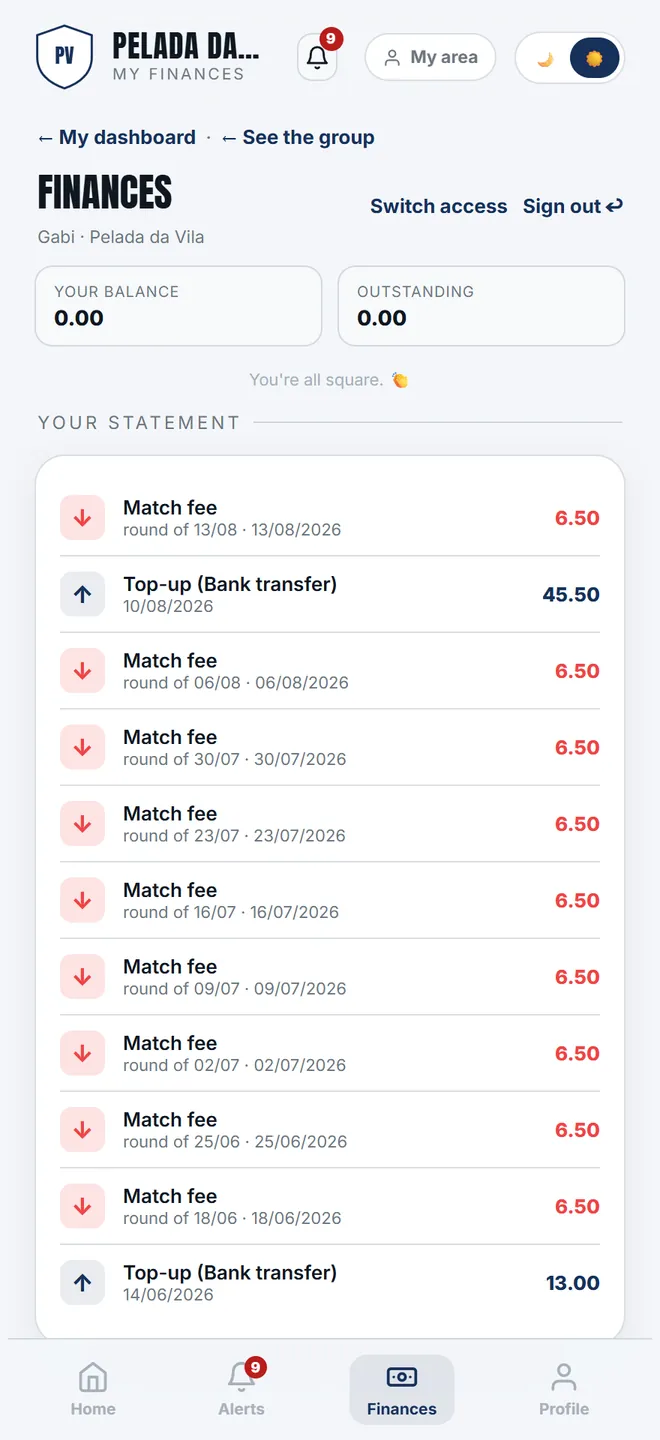
1. Finances shows the balance, what is outstanding and the personal statement. The group's kitty doesn't appear here.
-
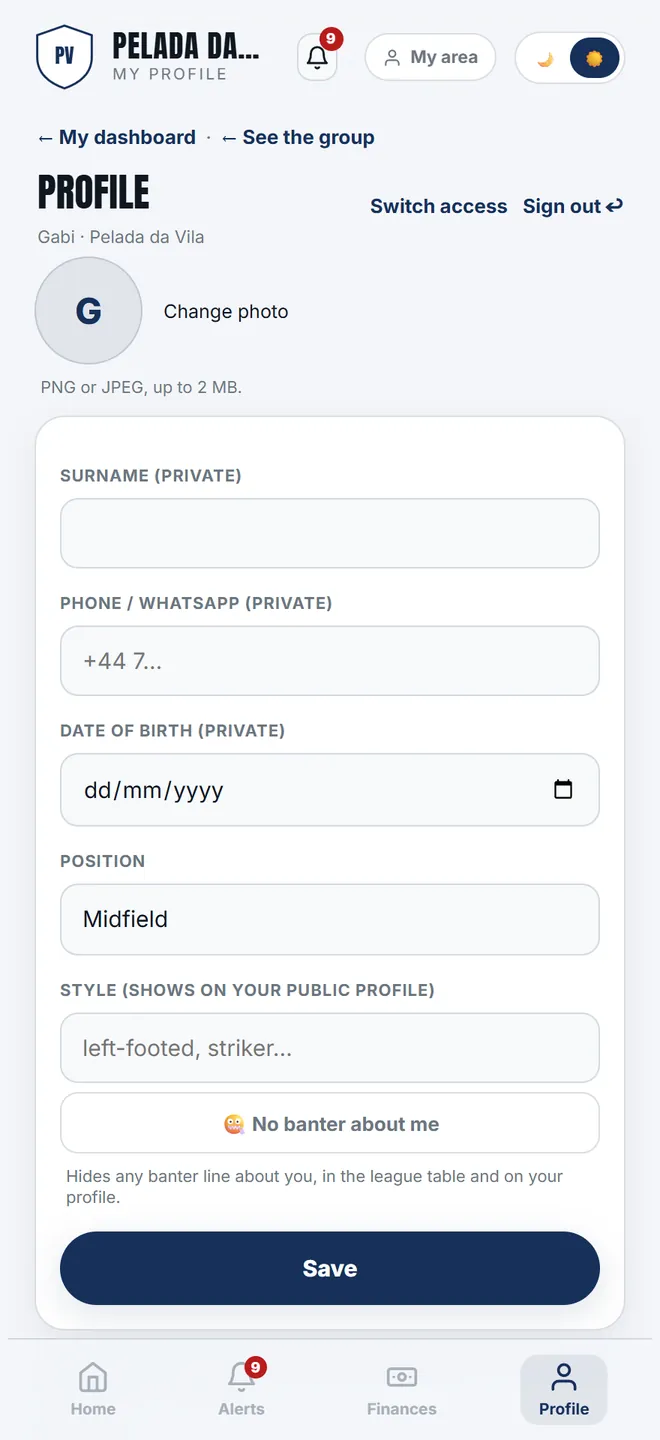
2. Profile: photo, position, style and the alert switches. Nickname, ratings and sign-in email belong to the organiser — and the screen says so.