 Footy
FootySwitching it on (it starts off)
Banter is a short, cheeky line next to a player's name on the public pages — in the standings and on their profile. It starts switched off: turn it on in Settings → Pelada, under "Dressing-room banter in public". You can build the bank before that, though: only the display depends on the switch.
Assigning IS approving
There is no approval queue, and that is the whole design. Every line starts free — in the bank, ownerless, invisible to the public. It only appears once you assign it to a player. That gesture replaces any "approve" button.
Generate a batch with AI
Pick 5, 10 or 20 lines and hit Generate. They land in the bank free. The AI uses the lines already there as a style reference and repeats none of them.
📍 Dashboard → BanterOr write your own
One line per row — you can paste a whole list at once. Duplicates are dropped quietly and the app tells you how many fell out.
📍 Dashboard → BanterAssign
Each free line's picker shows only active players who don't have a line yet. Pick one and it's live.
📍 Dashboard → BanterSwap or remove
Use Release to send the line back to the bank. To swap someone's line, just assign another: the old one is released with it.
📍 Dashboard → Banter- One line per player, and one line per person at a time. That is why the picker only offers whoever is still without.
- Deleting a line in use is blocked: release it first. Deleting outright would take someone's banter away without you noticing.
- Nothing about the player goes to the AI — not even the name. The lines are generic and belong to the pelada; what makes them personal is the link you create.
- Lines are generated in your pelada's language. Change the language later and the old ones stop matching, so everyone falls back to the app's built-in lines — no hole on screen.
Writing and assigning the banter organiser
-
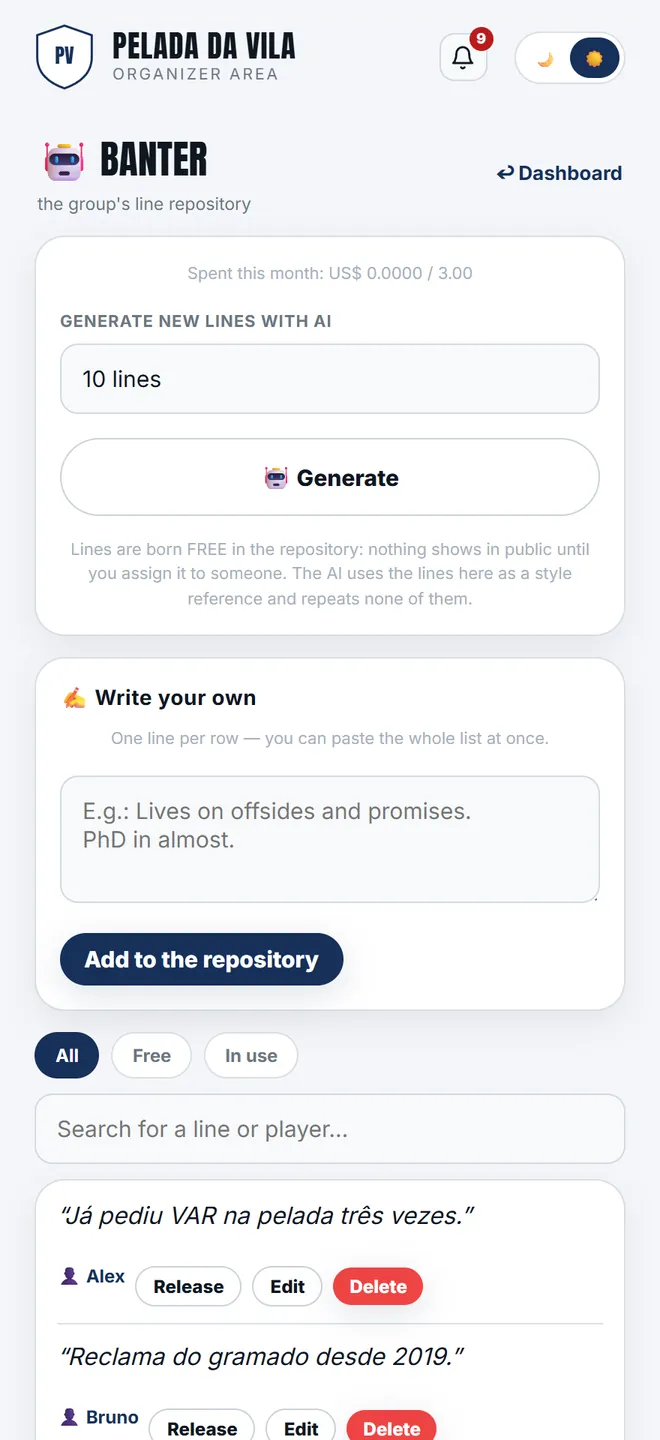
1. The group's repository: each line shows its state — free or already assigned to someone.
-
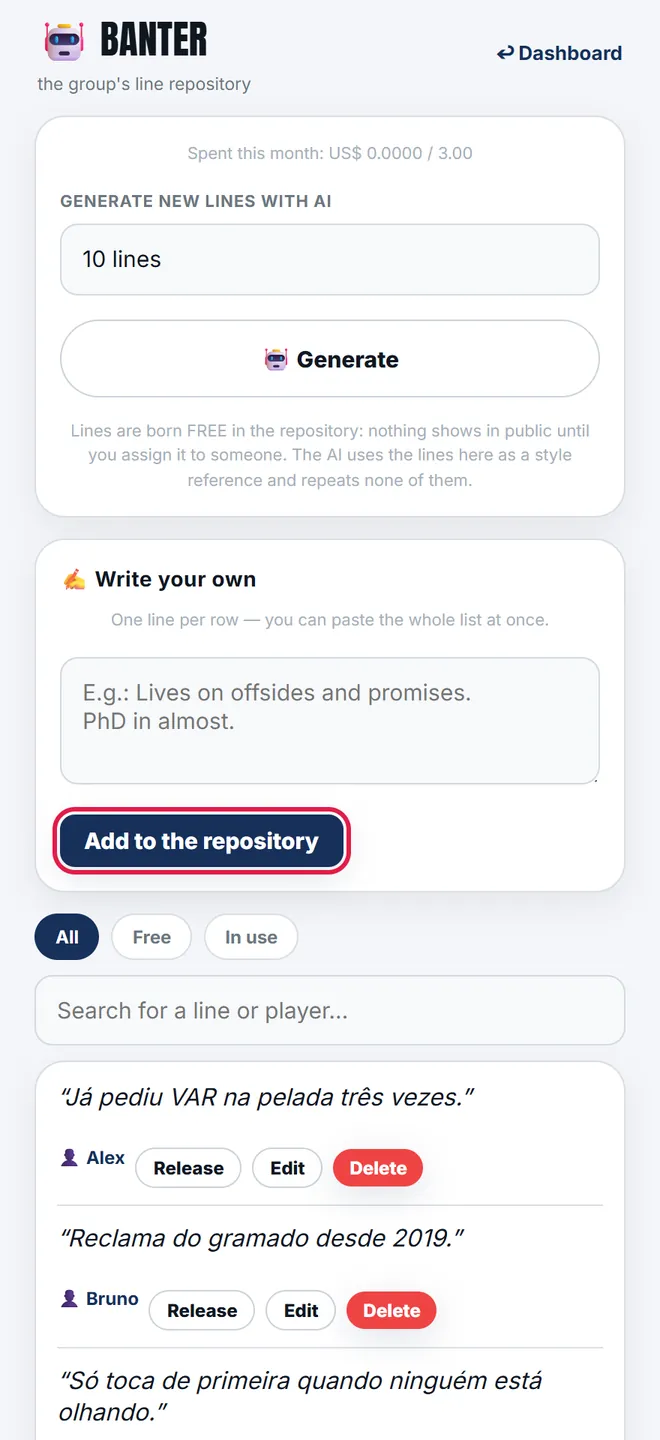
2. Writing your own means pasting one per line and hitting Add to repository. Pasting the same list twice duplicates nothing.
-
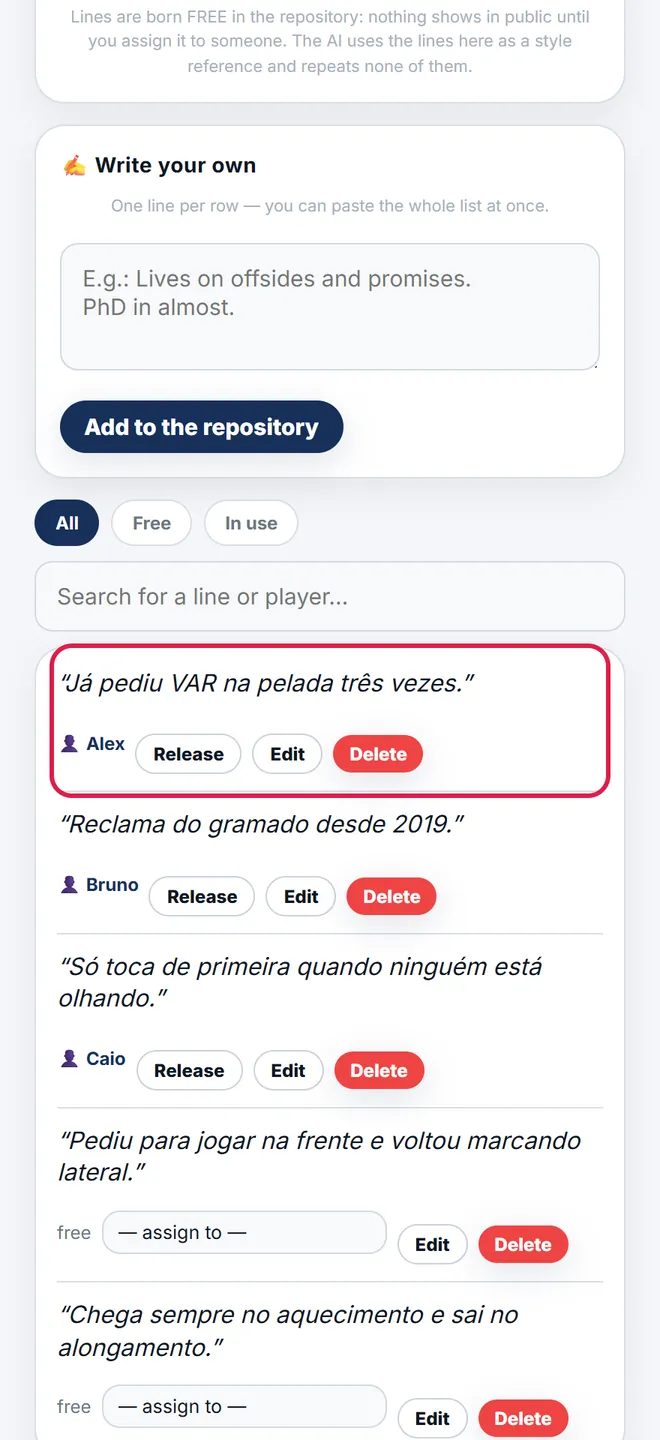
3. Assigning is approving: picking the player on the line itself is what puts the phrase live, next to their name in public.
Whoever doesn't want it, doesn't appear
On their profile, a player has the box "🤐 No banter about me". It beats everything — including the line you assigned. It is the first step of the rule, not a request that goes through you.
- Whoever has no assigned line gets a built-in one, picked from their moment (leader, top scorer, on a run, newcomer, missing in action…).
- The pick is stable: it doesn't change on refresh. It updates when a round is closed.
- If you anonymise a player, their line is released, not deleted: the text is generic and belongs to the pelada — what was about the person was the link.