 Footy
FootyWhat it is for
The usual pitch is closed and tonight is somewhere else, pricier, earlier and on a court that only fits 5 a side. None of that is your pelada — it is this Thursday. The ✎ button, next to the date on the round screen, changes all of it here only.
Until you adjust it, the round follows the pelada's settings live. Change the settings later and they apply to it again. That is what avoids the back-and-forth of editing the whole pelada and having to undo it the following week.
What you can change
Match fee
Applies to this night only, and it is what the round charges at closing.
📍 Round → ListStart and end
Changes the time announced in the call-up and on the public page. It does not change who plays.
📍 Round → ListVenue
Tonight's address, which goes into the group message.
📍 Round → ListMatch format
Teams (2 to 6), how many start on the pitch, keepers per team, bench per team and the formation.
📍 Round → ListThere are two undo buttons — Back to the pelada's time and Back to the pelada's format — and each touches only its own part. Undoing the format doesn't wipe a custom time you never asked to wipe.
Adjusting one night's price, time, venue and format organiser
-
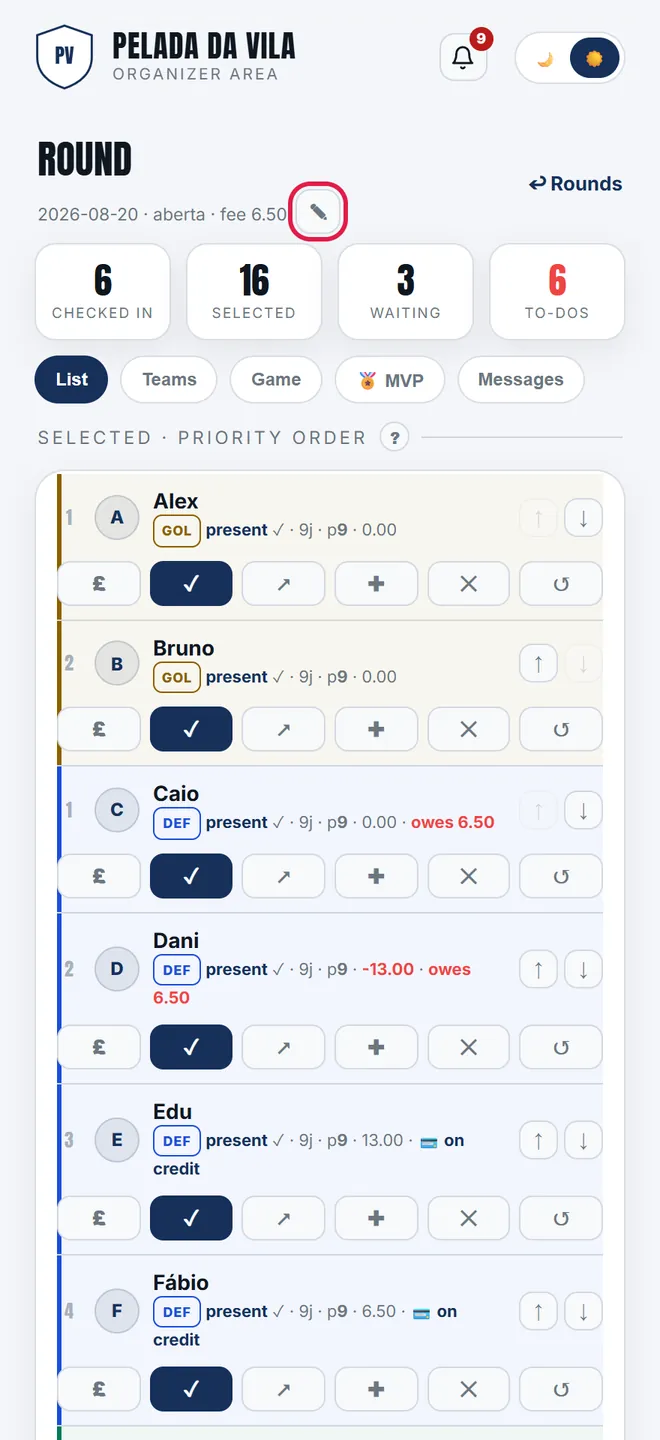
1. The ✎ next to the date, on the List tab, opens that matchday's adjustment — the group's settings stay untouched.
-
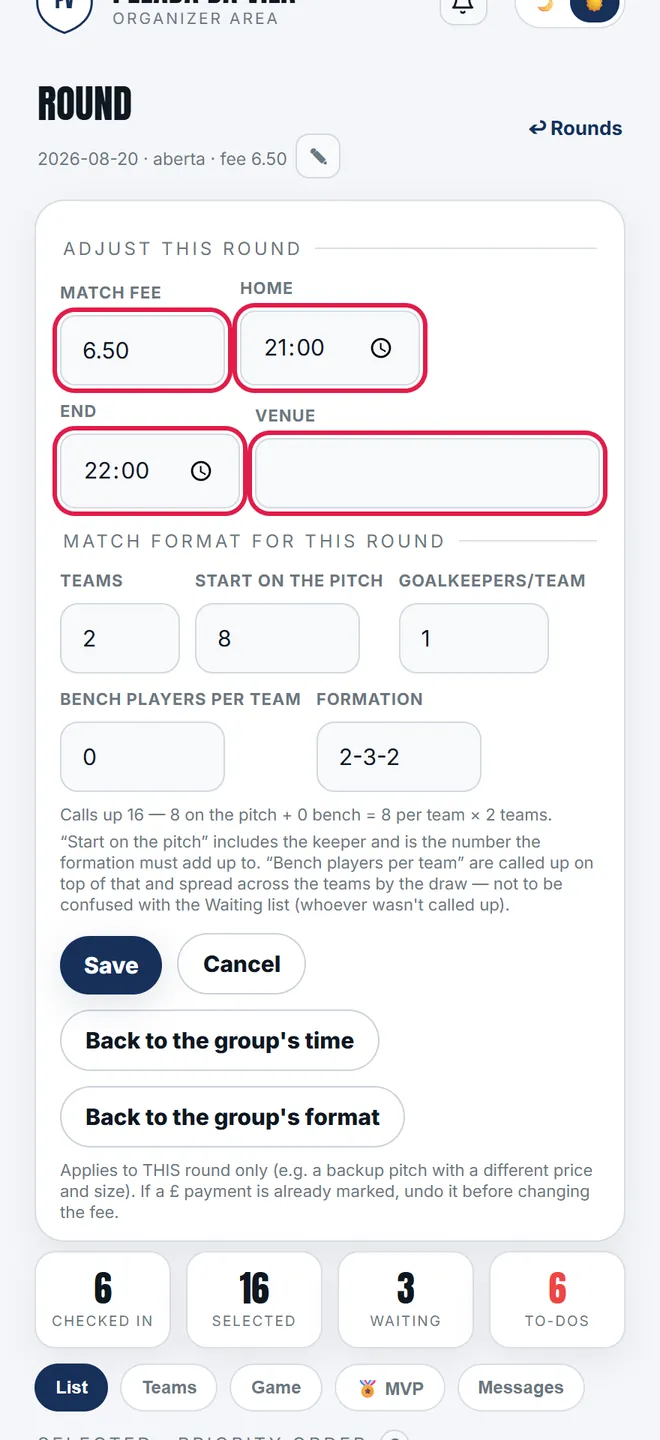
2. Match fee, start, end and venue change tonight only, and that is what goes into the call-up and onto the public page.
-
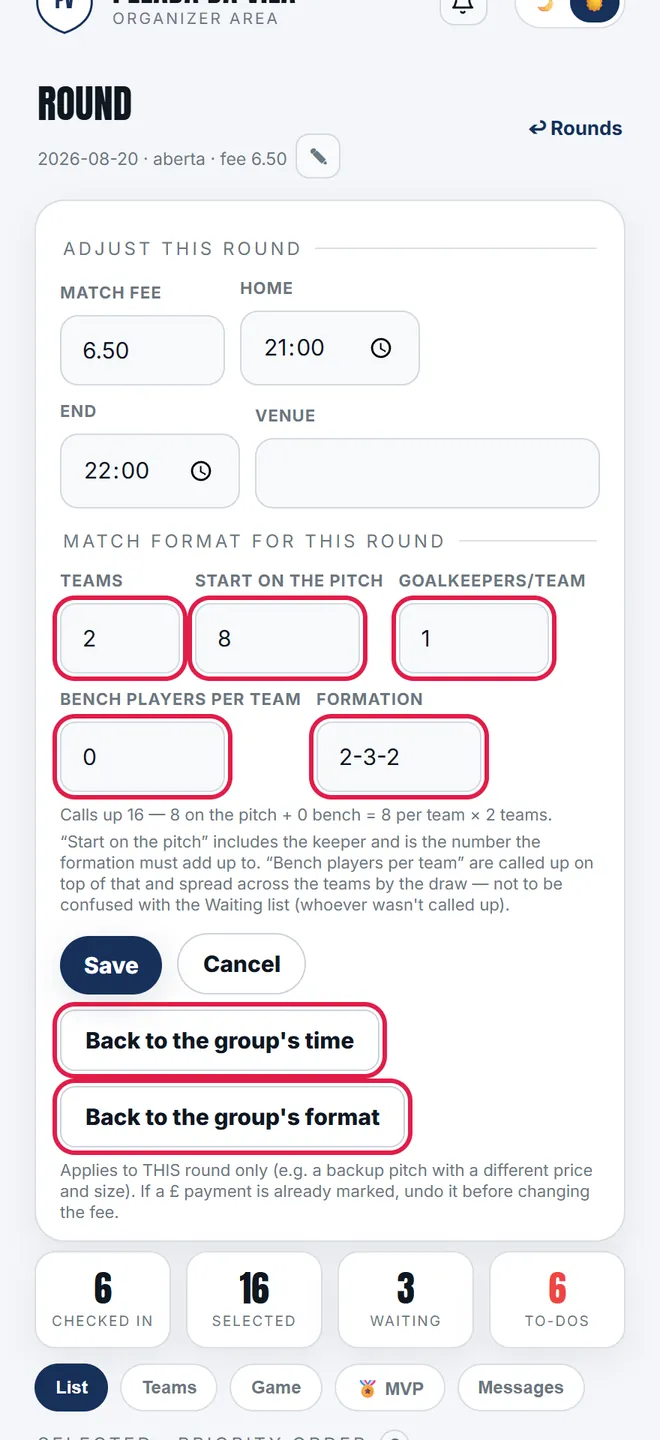
3. Further down comes the format: number of teams, how many start on the pitch, keepers, bench players per team and the shape. The two back to buttons undo the adjustment.
Three different things almost everyone mixes up
- Start on the pitch — how many take the field to begin, keeper included. This is the number the formation has to add up to.
- Bench per team — people called up on top, whom the draw spreads across the teams. They sit outside the formation, which is why changing only them never triggers a formation error.
- Waiting list — whoever wasn't called up at all. It has no cap and isn't configured here.
When the app refuses (and why)
- Only with the round open. To change a closed one: reopen, adjust and close again — closing reapplies the charges at the new value.
- Changing the format with a score already recorded is refused. Delete the score first: changing the size clears the line-up, and the standings would point at teams nobody makes up.
- Changing the fee with a £ payment already marked is refused. Undo the payments first — the top-up recorded the old value, and undoing and re-marking creates it at the new one. Only the venue goes through in that situation.
- Changing the time is never refused, not even with a score recorded. It doesn't touch credit, standings, the queue or the score — there is nothing to corrupt.
- Changing the format clears the line-up and rebuilds the squad — you will need to draw again. The screen warns in red when a line-up is saved.
- Shrinking drops whoever the round's rule says, and never whoever is already present or has paid. If everyone is immune, the squad stays above the cap — that is the old rule, not a fault.
- Whoever was in the squad gets a notice about the change; the waiting list isn't bothered.